web-01db-02api-03+11
$ ssh [email protected]
Browser terminalLinux & Windows shells, no client
replaces Self-hosted server management Linux & Windows
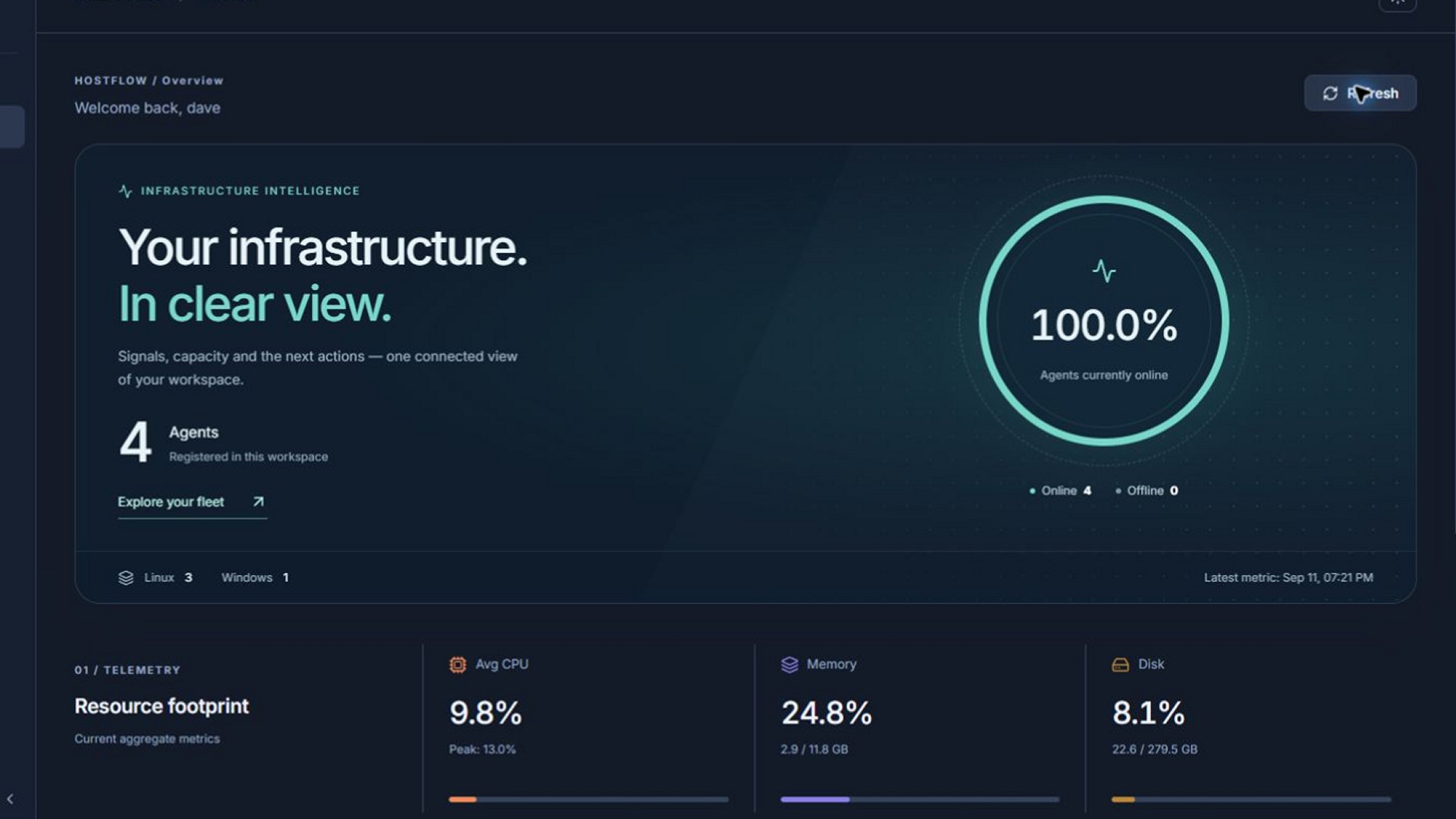
HostFlow is the self-hosted control plane for every server you run — live metrics, browser terminal and RDP, fleet-wide automation, alerting and inventory. On your hardware — installed even without internet.
Live simulation — hover a server, click to open its terminal
ways to run it — Docker, Podman or native
metric resolution, every host
distinct agent states — not one grey dot
third parties in your data path
01 — The glue stack
Fourteen SSH tabs, a VPN, a folder of .rdp files, a Grafana nobody finished, crontabs on someone's laptop, an inventory spreadsheet and a calendar reminder for certificate expiry. Keep scrolling.
$ ssh [email protected]
02 — Hands on
A live simulation of the HostFlow dashboard, running entirely in your browser. Filter the fleet, type into a shell, fan a script out to production, acknowledge an incident.
Simulated data. The real thing runs on your servers.
Private lab · by invitation
Our live HostFlow lab runs real Linux and Windows hosts. Write to us and we'll create an account for you — no install needed.
03 — Health model
Most tools show a grey dot and leave you guessing. HostFlow weighs the agent channel, metric freshness, independent reachability probes and announced shutdowns — then tells you what actually broke. Flip the signals and watch it reason.
Signals
HostFlow says
online
The agent channel is healthy and metrics are streaming in.
What to doNothing. Go get a coffee.
04 — Capabilities
Six disciplines in one install. No plugins to hunt down, no sidecars to babysit.
Product tour
Live metrics, automation, Linux and Windows terminals — a quick look inside HostFlow.
05 — Sovereignty
HostFlow isn't a SaaS with an on-prem checkbox. The dashboard, collector, gateways and database all run inside your perimeter — and it installs without internet if it has to.
Metrics, sessions and credentials never leave your deployment.
An offline package for your target OS. Carry it in on USB — Docker, Podman or native.
HTTPS for the dashboard, TLS for agent gRPC and PostgreSQL.
LDAP and Active Directory, with group-to-workspace mapping.
Require TOTP for every account — not just the careful ones.
Terminal and RDP sessions land in the audit log.
06 — Install
HostFlow ships as one self-contained package for your target OS — runtime, images, database and agents included. A guided wizard takes care of certificates, database and directory settings. No registry, no cluster, no internet required.
hostflow-ubuntu24.04-amd64-docker-offline.zip
Runtime, images, database migrations and agent binaries for Linux, Windows and AIX.
No registry pulls or downloads during install. Carry the ZIP in on USB, internal transfer or a read-only virtual CD.
Docker, Podman or native systemd services on Ubuntu 24.04, Debian 13 or CentOS Stream 10.
Checksums and a preflight check verify the package and the target before anything is installed.
Unpack the package and let the wizard set up certificates, database and services.
Enter SSH credentials once — for one host or in bulk — and HostFlow deploys the agent.
Watch metrics, open terminals, schedule scripts, define alerts.
07 — FAQ
Still curious? The installation page goes deeper.
No. Every component — dashboard, collector, gateways and database — runs on hardware you control. There is no HostFlow cloud in your data path.
Yes. Beyond the demo on this page, we run a private lab with real Linux and Windows hosts. Write to [email protected] and we'll create an account for you.
Agents run on Linux and Windows hosts, and there's an AIX build for the older iron. Linux hosts get a browser shell; Windows hosts get a terminal and RDP, both in the browser.
A Linux server — Ubuntu 24.04, Debian 13 or CentOS Stream 10 — with systemd and root access. The package brings its own runtime; our test profile is 4 vCPU, 8 GB RAM and a 31 GB disk. Use the bundled PostgreSQL with TimescaleDB, or point HostFlow at your own.
Yes — that is the default path. The package for your target OS carries everything the server needs, so nothing is pulled from a registry or the internet during install.
From the dashboard: Add Agent → over SSH, for a single host or in bulk. The agent deploys itself, registers and starts reporting.
Yes. Sign in with LDAP or Active Directory, map directory groups onto workspaces, and make MFA mandatory for everyone.
Write to [email protected]. Packages are built per release, target OS and runtime, and come with a SHA-256 checksum.
Yes. Gateways can run active-active, and the database can live on an external PostgreSQL cluster.
See every server you own on one screen — on your hardware, under your own keys.
Questions first? Write to [email protected]